
Think of it as the office
Console
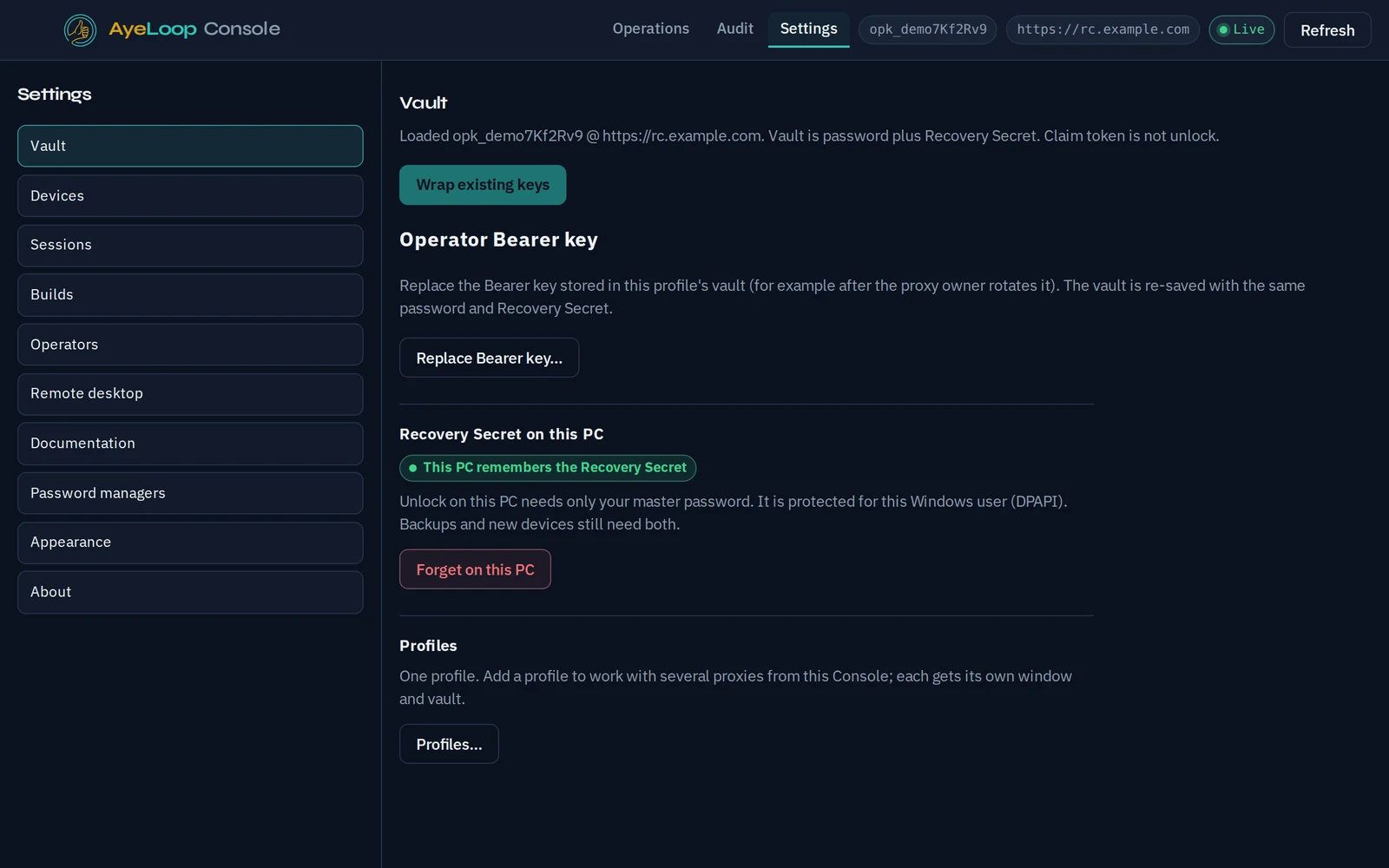
An app on your computer. The AI works here, and so do you. Console holds the keys that sign every change, and they never leave your machine.
SI · Supervised Intelligence
Supervised Intelligence for IT: the AI diagnoses and drafts the fix, a person you trust signs it, and every computer checks that signature before anything runs. Remote shell, patching, file transfer and remote desktop are at hand too.
We're letting teams in gradually. Work email addresses get priority.
Built inside a working MSP and in daily production across its client businesses.

How it works, in plain words
You don't need to be an engineer to follow it. There are three pieces, and each has one job.
Think of it as the office
An app on your computer. The AI works here, and so do you. Console holds the keys that sign every change, and they never leave your machine.
Think of it as the courier
Your company's dedicated proxy service, which we run for you. It carries signed instructions to your computers and keeps the records. It can deliver a command, but it can't sign one.
Think of it as the guard at the door
A small program on each computer you look after. It checks the signature on every instruction and refuses anything that isn't signed by one of your people.
The AI reads that computer's logs and finds the print service has crashed.
"Restart the print service on FRONT-DESK-02." Nothing has run yet.
Console signs that one command for that one computer, and the proxy delivers it.
Right signature, right computer, still fresh: it runs once, and the whole thing is in the audit trail.
We start your dedicated proxy service.
Install Console: your signing keys are created on your computer and never leave it.
Send the install link to put the agent on each computer. Agents connect out, so there's nothing to open on your firewall and no VPN.
Three pieces
Console is where you and the AI work. The proxy is your company's dedicated proxy service in the cloud. The agent runs on every computer you look after.
Your desk
Add a Console for each technician. Each one has its own keys.
The AI runs inside Console, on your own Claude, Codex or Grok subscription.
AyeLoop cloud
It holds no signing keys, so neither the proxy nor AyeLoop staff can run a command on their own.
Computers you look after
Every agent checks your signature before it runs anything. Agents connect out to your proxy, so there are no ports to open and no VPN.
For MSPs
Built inside a working MSP. Priced per endpoint, like you bill: no per-technician fees and no add-on charge for remote desktop.
Tag every endpoint with its client. Scope each technician and AI session to specific clients. Isolation is enforced by policy on the proxy, not left to a prompt or a naming convention.
Triage, log digging, drafting the script. AI works from each client's docs and inventory, so your techs review fixes instead of hunting for them.
Remote shell, on-demand remote desktop, patching, inventory, file transfer, event logs, client docs and credentials all live in one Console.
Per-client docs and credentials, in the same app you work in, and a real answer to your clients' security questionnaires.
For IT teams
Give everyone the access they need, and no more. Flat monthly tiers for one organization.
Helpdesk staff and AI assistants get read access plus the ability to propose. Admins approve the exact command before it runs. Each grant works once, then expires.
Diagnose servers and DCs with read-only event logs and inventory. Any change needs a signature from an admin you trust, checked on the server itself.
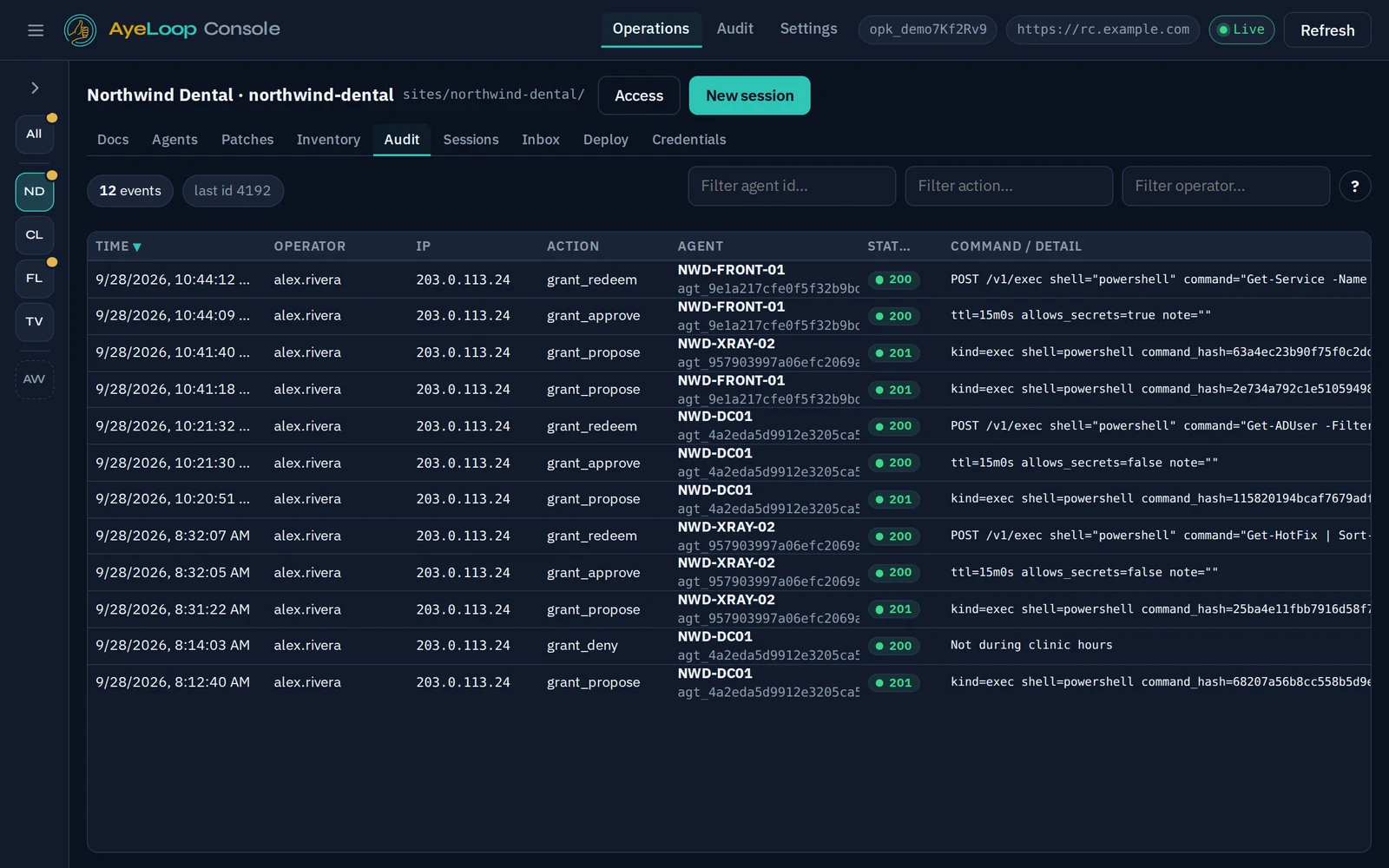
Every proposal, approval and command is logged with the technician's name and the target machine. That makes audits, cyber-insurance renewals and incident reviews faster.
Each customer gets a dedicated, isolated proxy. Agents connect outbound only. Signing keys stay in Console on your admins' machines.

The AI
Console runs Claude, Codex or Grok on your own subscription. The assistant reads inventory, event logs and the client's docs, researches the problem, then drafts the fix. Before it runs, a technician sees the exact command and target.
Zero-trust by design
In most remote-management tools the server holds all the power: whatever it sends, every endpoint runs. AyeLoop splits that power. The server relays commands, keeps inventory and records the audit trail, but it holds no signing keys. Every command sent to an agent is signed in your Console, even reading a file or checking system info, and the agent checks the signature before it does anything.
Typical RMM
The server holds the power. Whatever it sends, every endpoint runs.
AyeLoop
Your Console holds the power. Agents check its signature on every command, reads included. AyeLoop staff can't sign either.
The AI's read-only checks use a read-only key you approve once. Anything that changes a computer waits for a technician's Aye.
The only things that travel without a signature are the reports agents send up on their own: inventory, patch status and regular check-ins.
Product
One lightweight agent per endpoint. It connects outbound only, so no inbound firewall ports need opening. One Console app for your team.

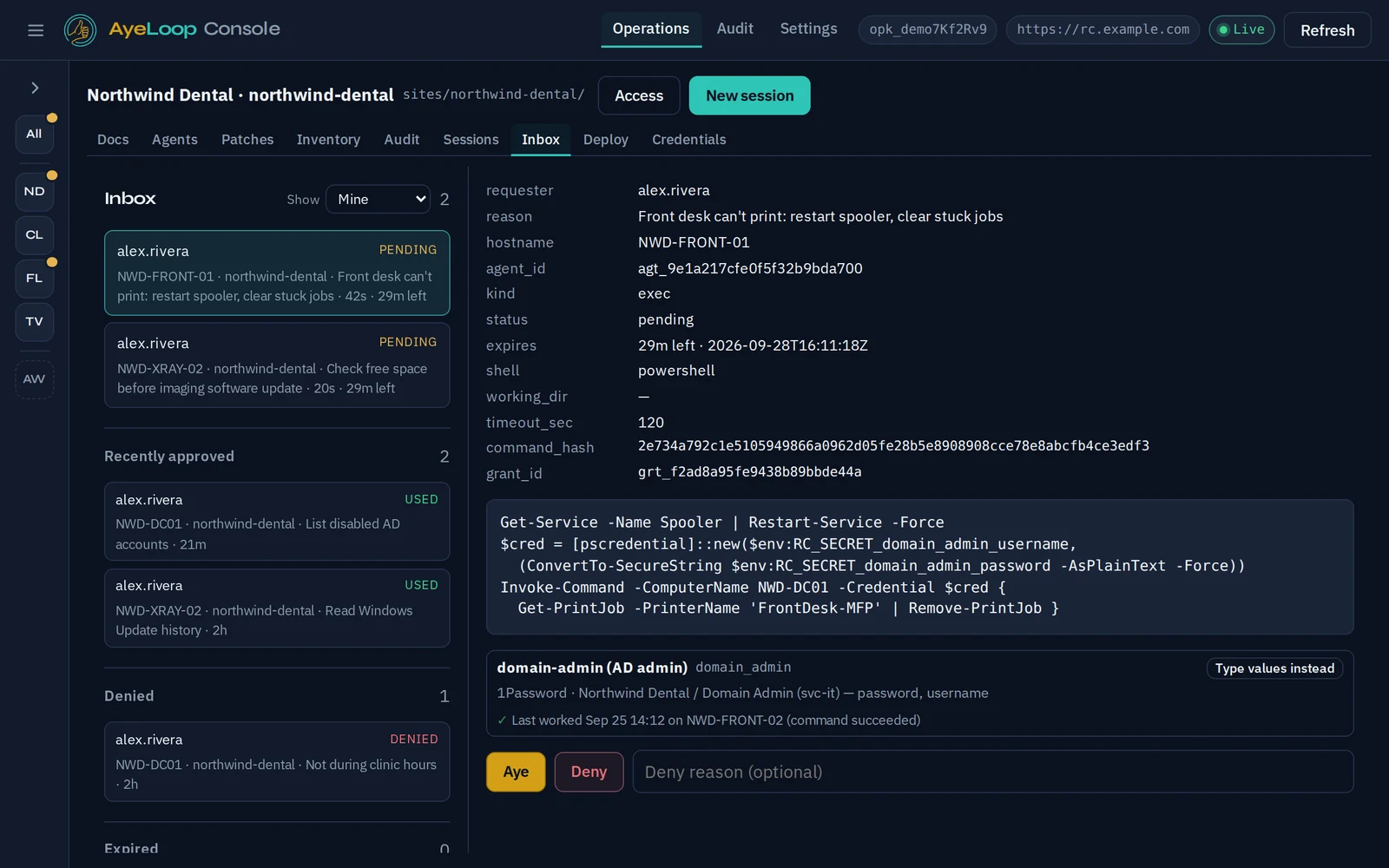
PowerShell, cmd and bash on any endpoint. Signed, time-boxed and audited.
On-demand helpdesk sessions to the user's screen on Windows. Turned on per session with a one-time password that expires.
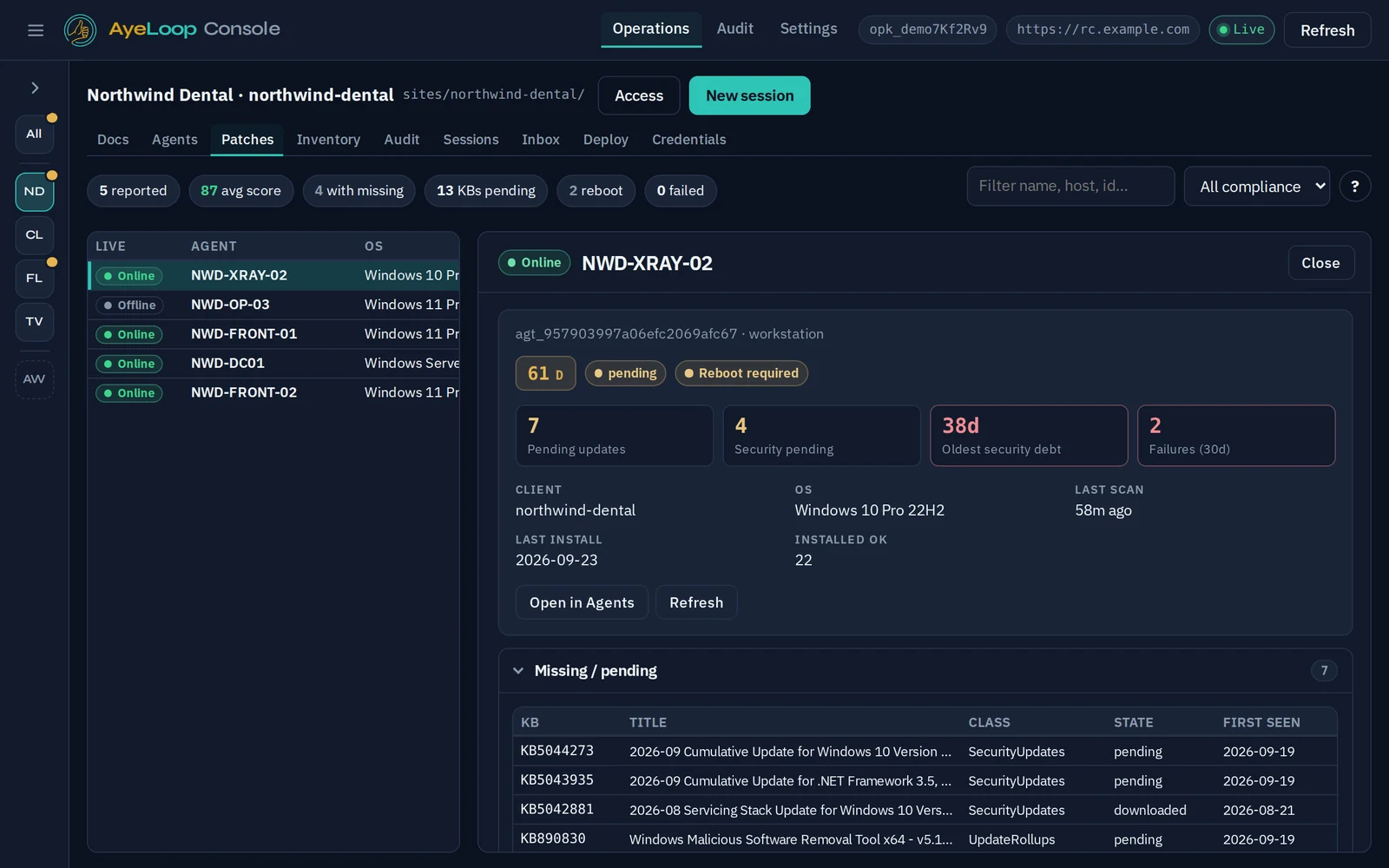
Windows Update inventory, a patch score per machine, and installs that run in your maintenance windows, with no surprise reboots.
Hardware and software for every endpoint, grouped by client or site.
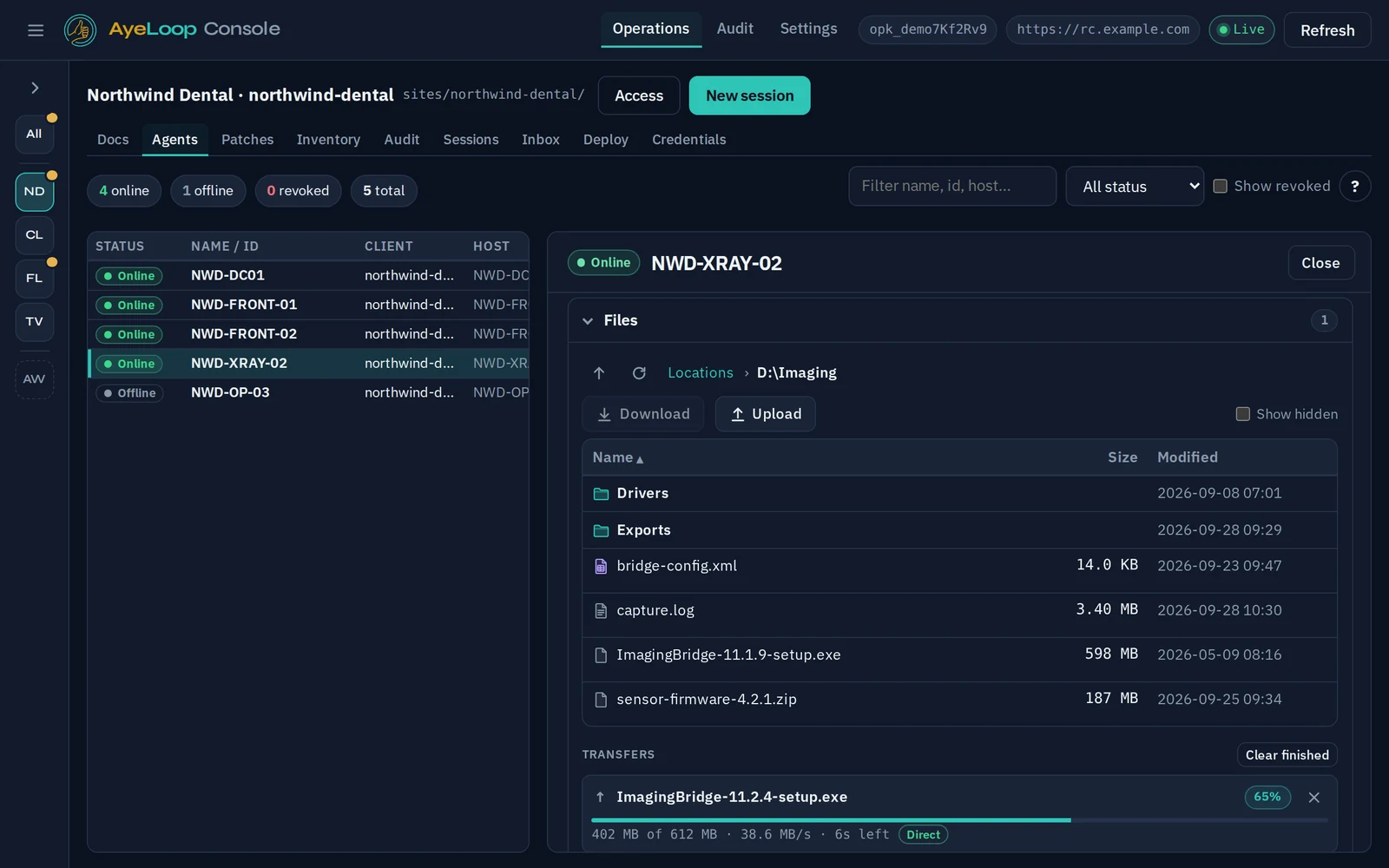
Large, resumable, checksum-verified transfers. They go straight to the endpoint when the network allows.
Query Windows event logs across machines, including domain controllers, without opening RDP.
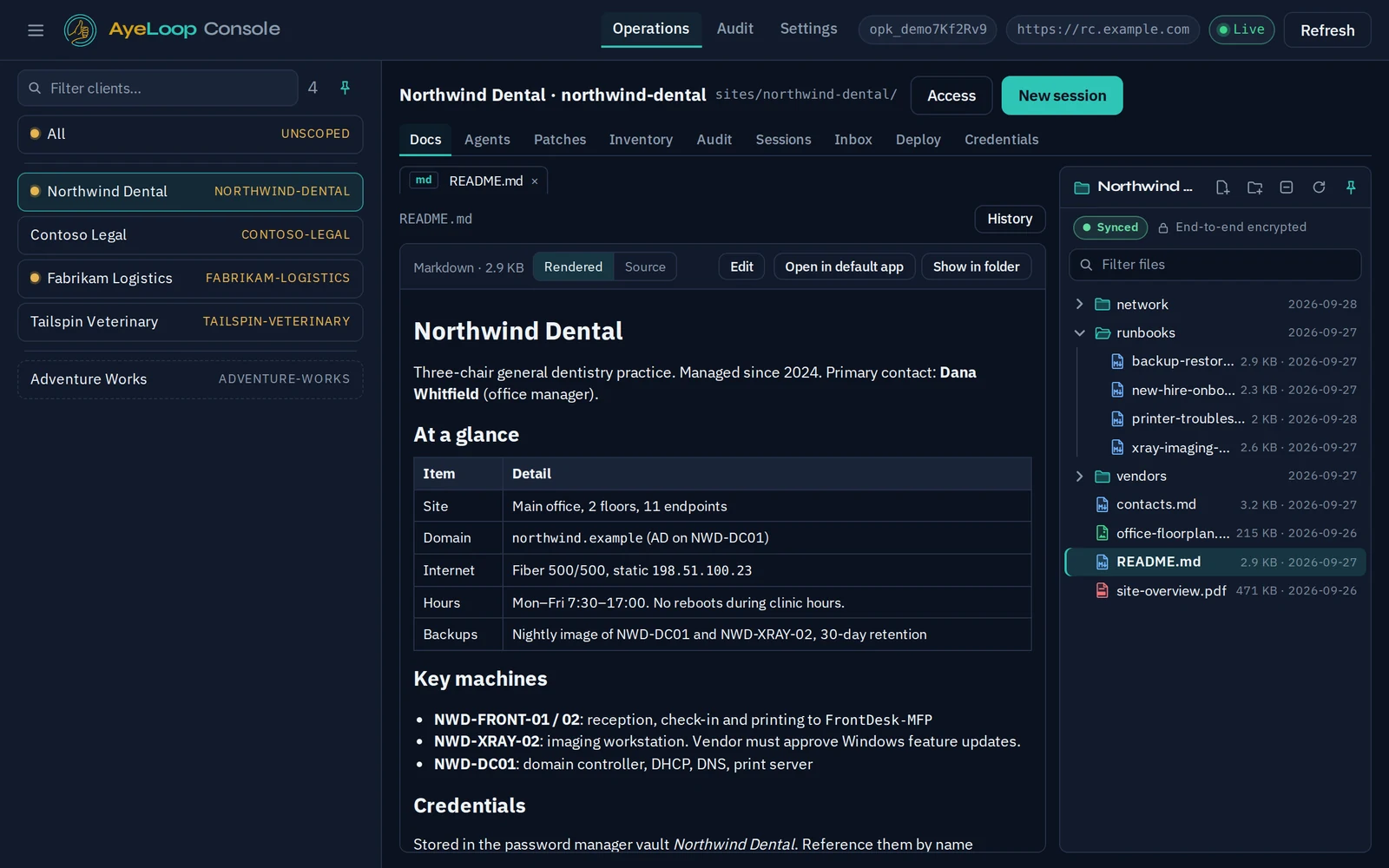
Documentation spaces per client, encrypted in Console before they sync, so the server stores only ciphertext.
Link 1Password vaults to clients. The credential is fetched at approval time and sealed to the endpoint. The AI never sees it.
An optional tray icon lets users chat with your team or open a ticket, and each ticket includes the device's details.
Reach switches, firewalls and hypervisors through an agent on the same network.
Roll agent updates out in rings. Agents verify each update's signature before installing it.
Every proposal, grant and command, with the operator, the machine and the time.
Agents for Windows, Windows Server, Linux and pfSense/FreeBSD. macOS is on the roadmap.
Pricing
Every plan includes your own isolated cloud proxy, Console, the agent, remote desktop, patching, docs and AI sessions (you bring your own AI subscription).
Per endpoint, with unlimited technicians and clients.
MSP Partner
$200 / mo minimum
MSP Volume
Volume per-endpoint pricing
Flat monthly tiers for one organization.
Starter
Team
Organization
Prices are in USD. We're opening AyeLoop to teams gradually: join the waitlist and we'll email you when there's a place for you.
Questions
Yes. It covers remote shell, remote desktop, patching, inventory, file transfer and event logs. The difference is that every command to an agent is signed in your Console, and the agent checks that signature itself. The server never gets to decide on its own.
No, and that's the point of the design. The proxy relays commands and stores inventory and the audit log, but it holds no signing keys. Agents only accept commands signed with keys created in your Console.
No. We host and operate your dedicated proxy, but we can't sign as you. Every command needs a key from your Console, and changes need one of your technicians.
Yes. The AyeLoop agent installs next to your existing tools, so you can move clients or departments over at your own pace.
No. AyeLoop is a complete remote-management tool without AI. If you do turn on AI sessions, they use your own Claude, Codex or Grok subscription and can't change anything without a technician's approval.
Signing keys live in the Console vault on the technician's machine. Credentials stay in your password manager until someone approves a command that needs them. They are then sealed to that one endpoint for that one command.
The AyeLoop agent. It runs as a service, connects outbound to your dedicated proxy, and runs a command only when it carries a valid signature from your Console. It's authorized remote management that you control. It is not a hidden backdoor.
Join the waitlist
We're letting teams in gradually. Join the waitlist and we'll email you when there's a place for you; we then set up your dedicated proxy for you. Work email addresses get priority.